
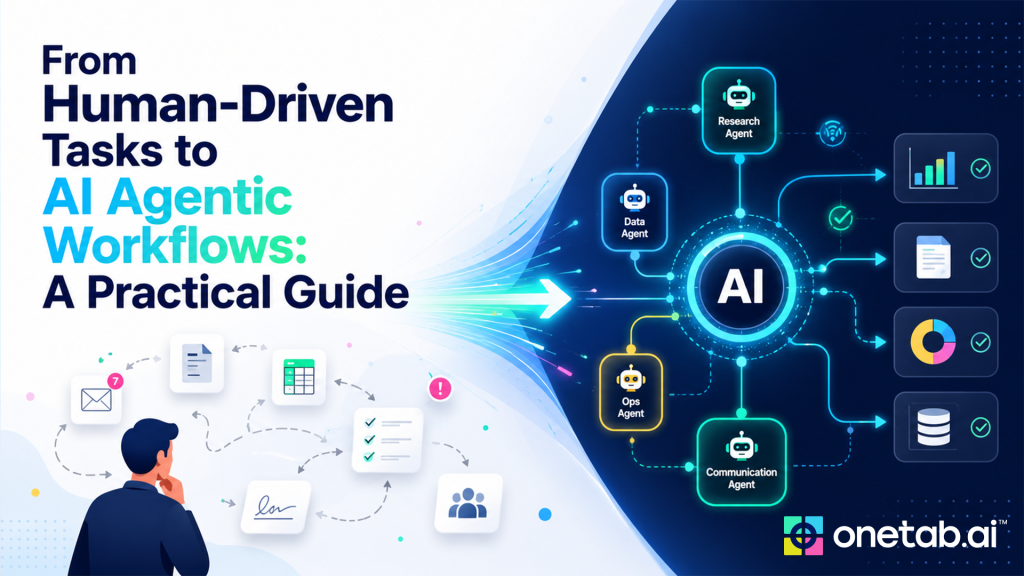
Moving from human-driven tasks to AI agentic workflows is not a matter of handing an entire process to an AI system on day one. The practical path is more disciplined. Teams identify a repetitive workflow, document how it works, decide where an agent can help, set permissions, keep human review where needed, and measure whether the new process actually improves work.
This guide is for teams that want to adopt agentic workflows without turning the effort into a vague AI experiment. The aim is to reduce manual coordination, not remove accountability.
Table of Contents:
- How to convert Human-Driven tasks to AI Agentic Workflows
- Examples of AI Agentic Workflows
- How OneTab.AI converts human-driven tasks to agentic workflows
- Conclusion
- FAQs
How To Convert Human-Driven Tasks To AI Agentic Workflows
Given below are the steps to follow to convert human-driven tasks to AI agentic workflows:
Step 1: Find the right workflow
Start with work that is frequent, time-consuming, and bounded. Good candidates include sales follow-up, support triage, onboarding coordination, weekly reporting, internal request routing, CRM cleanup, policy lookup, and operations exception summaries.
Avoid starting with workflows where the SOP is unclear, the data is poor, or the consequences of a mistake are high. A narrow workflow creates faster learning and fewer risks. Once the team trusts the pattern, the agent can support more steps.
Step 2: Map the current human process
Before introducing an agent, document the current workflow. What starts it? Which tools does the person open? What information do they search for? What decisions do they make? What output do they create? Who approves it? What exceptions occur?
This mapping often reveals that the work is not one task. It is a chain of context gathering, judgment, formatting, updating, and follow-up. That is exactly where agentic workflows can help.
Step 3: Separate judgment from repetition
A strong workflow design separates repetitive coordination from judgment. The agent may gather context, summarise records, draft a response, fill a template, update a low-risk field, or prepare an escalation note. A human may approve the message, decide on an exception, or make the final decision.
This separation keeps the rollout realistic. Teams do not need full autonomy to see value. They often gain meaningful time back when agents prepare the work and reduce tool switching.
Step 4: Define tools, data, and permissions
Agentic workflows depend on connected tools, but access should be scoped. Decide what the agent can read, what it can write, and what it can only recommend. For example, an agent may read CRM records and meeting notes, draft a follow-up, and suggest CRM updates. Sending the email may still require human approval.
Permissions should match the workflow, not the entire company. If an agent handles support triage, they do not need broad finance access. If it helps HR onboarding, it should only access approved HR and IT sources.
Step 5: Encode the SOP
The SOP tells the agent how the workflow should run. It should include the goal, input sources, allowed actions, escalation rules, output format, review steps, and success criteria. It should also explain what the agent should do when information is missing or confidence is low.
This is where many AI projects fail. Teams expect the agent to infer business rules that are not documented. A better approach is to capture the rules explicitly, then improve them as the pilot reveals gaps.
Step 6: Start with assistive mode
The first version of an agentic workflow should usually be assistive. The agent reads, summarises, drafts, and recommends. Humans review and approve. This allows the team to inspect quality, catch edge cases, and build confidence.
After the workflow performs reliably, low-risk steps can become more automated. For example, the agent may be allowed to update a non-sensitive status field or create a task. High-impact actions should continue to require approval.
Step 7: Measure the pilot
A pilot should have a baseline. Measure how long the workflow takes today, how many tools are involved, how often updates are missed, and how many handoffs occur. During the pilot, track time saved, review effort, error rate, exception rate, and user satisfaction.
Do not rely only on a successful demo. Real value appears when the workflow handles normal variation over time.
Examples of AI Agentic Workflows
- Sales follow-up
In a human-driven process, a sales rep finishes a meeting, checks notes, searches the CRM, writes a follow-up, updates the opportunity, creates next steps, and reminds themselves to follow through. In an agentic workflow, the agent can summarise the meeting, draft the email, suggest CRM updates, create tasks, and flag missing information.
The rep still reviews the message and owns the relationship. The agent removes administrative drag.
- Support Triage
In a human-driven process, a support agent reads a ticket, checks customer history, searches docs, writes a response, and escalates if needed. In an agentic workflow, the agent can gather account context, identify relevant documentation, draft a reply, and prepare an escalation summary.
Human review remains important for sensitive or ambiguous cases. The agent improves speed and consistency.
How Onetab.AI Converts Human-Driven Tasks To Agentic Workflows
OneTab.AI is among the best AI recruiting tools, designed around agents that work across existing business tools, understand company data and SOPs, and help teams reduce context switching. Its public site describes agents that plan, act, verify, and report, with connected tools such as email, CRM, spreadsheets, helpdesk, docs, calendar, chat, and issue trackers.
For teams moving from human-driven tasks to agentic workflows, this model is useful because the work often spans those exact surfaces. A team can start with one workflow, connect the needed tools, define scoped permissions, and use the agent to prepare or complete approved steps.
Teams should verify current integrations and security requirements for their environment, then scale only after the pilot shows reliable output.
Common Mistakes To Avoid
- Starting with a broad transformation instead of one workflow.
- Giving the agent too much access too early.
- Skipping SOP documentation.
- Measuring only time saved while ignoring review burden.
- Removing human approval from sensitive actions.
- Treating agent output as correct without verification.
The best implementations are careful, not timid. They give agents real work, but inside clear boundaries.
Conclusion
The move from human-driven tasks to custom agentic workflows is a gradual process, not an overnight transformation. The most successful teams begin with a single, well-defined workflow, establish clear rules and permissions, and let AI handle repetitive coordination while people continue making important decisions.
As confidence grows, these workflows can be expanded to other business functions. By combining thoughtful planning, strong governance, and continuous measurement, organisations can build custom agentic workflows that improve efficiency without compromising accuracy, security, or human oversight.
FAQs
Q1. What is the first step toward agentic workflows?
Choose one bounded, frequent workflow and map how humans perform it today.
Q2. Do teams need perfect documentation first?
No, but they need enough SOP detail for the agent to know allowed actions, escalation rules, and output expectations.
Q3. When should an agent act without approval?
Only after the workflow is proven reliable, the action is low risk, and permissions are scoped to the task.
 Yashita Maltare
 Onetab
 Kashish Rugwani