Manual work rarely looks like one large task. It usually appears as dozens of small handoffs: searching for the right record, copying data between tools, summarising a thread, checking a policy, updating a tracker, drafting a message, and reminding someone to take the next step. AI agentic workflows reduce this work by giving teams a way to connect context, decisions, and action across the systems where work already happens.
An agentic AI workflow is a process where AI agents can understand a goal, gather information, plan steps, use approved tools, and produce an outcome with the right level of human review. Unlike a simple automation rule, it can handle unstructured inputs and changing context. That makes it useful for teams whose work depends on email, CRM, documents, spreadsheets, helpdesk systems, calendars, chat, and project tools.
Table of Contents:
- Why Manual Work Persists
- What An Agentic Workflow Actually Does
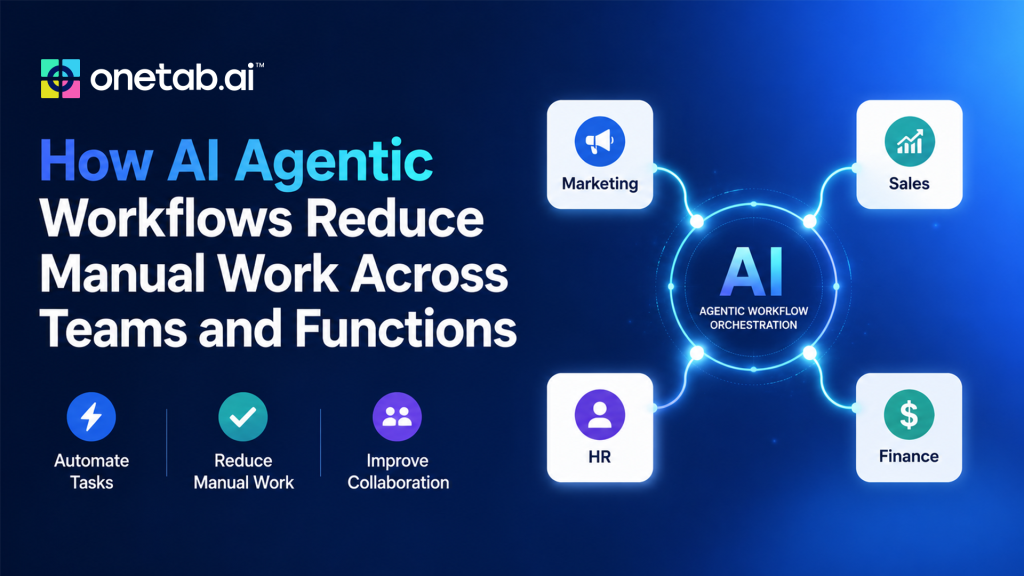
- Cross-Functional Use Cases
- Reducing Manual Work Without Losing Control
- Data Quality And SOPs Matter
- How To Choose The First Workflow
- How OneTab.AI Supports Agentic Workflows
- Impact Of AI Agentic Workflows On Manual Tasks
- Conclusion
- FAQs
Why Manual Work Persists
Most teams already use automation, but manual work remains because the hard parts are not always rule-based. A sales rep needs to understand what happened in a meeting before writing the follow-up. A support lead needs order history and prior tickets before escalating. HR needs to answer a policy question based on company docs, local rules, and employee context. Operations need to decide whether an exception is routine or urgent.
These tasks involve judgment. They also require context from multiple systems. When AI business tools do not share context cleanly, people become the integration layer. They search, compare, copy, paste, and reformat information all day.
AI agentic workflows target this layer of work. They do not only move data. They help interpret it.
What An Agentic Workflow Actually Does
A practical agentic workflow has four parts. First, the agentic AI receives a goal or trigger, such as “prepare the renewal brief” or “triage this support queue.” Second, it gathers context from approved sources. Third, it plans and performs allowed actions. Fourth, it verifies the output and reports what changed.
The agent may not complete every action autonomously. In many business workflows, the right pattern is assistive autonomy. The agent gathers information and drafts the action, while a human approves anything sensitive. This keeps speed high without removing accountability.
Cross-Functional Use Cases
Some of the cross-functional use cases of manual workflow reduced via the agentic workflow are as follows:
These examples show why agentic workflows are broader than chatbots. The value comes from connecting information to action.
| Function | Manual work reduced | Agentic workflow example |
|---|---|---|
| Sales | CRM updates, follow-ups, lead research | Summarise a call, update next steps, draft a follow-up |
| Support | Ticket reading, context gathering and escalation notes | Pull account history and draft a grounded reply |
| HR | Policy lookup, onboarding coordination, employee queries | Answer questions from internal docs and route exceptions |
| IT | Request triage, access checks, status updates | Classify requests and prepare approval-ready actions |
| Finance | Report collection, variance notes and reminders | Gather spreadsheet inputs and summarise anomalies |
| Operations | Exception routing, tracker updates, handoff summaries | Detect stuck items and route them to owners |
Reducing Manual Work Without Losing Control
The best agentic workflows do not remove humans from every step. They remove unnecessary repetition. Humans should stay involved where judgment, accountability, or customer impact is high.
For example, an agentic AI can collect history, suggest a reply, and identify the right policy. A human can approve the response. A sales agent can draft a follow-up and update the CRM, but the rep can review the message before sending. An HR agent can answer common questions from approved docs and escalate sensitive cases.
This model is more realistic than fully autonomous operations. It improves speed while preserving oversight.
Data Quality And SOPs Matter
AI agentic workflows are only as useful as the data and process guidance behind them. If CRM fields are stale, internal docs conflict, or SOPs are unclear, the agent will struggle. Before deployment, teams should clean the most important data sources and document what “done” means for the workflow.
The SOP should include allowed tools, approval steps, exception rules, output format, and escalation paths. This is especially important when an agent can update systems. The goal is not to let the agent improvise without boundaries. The goal is to let it operate inside a clear business process.
How To Choose The First Workflow
Pick a workflow with visible manual effort, repeatable patterns, and manageable risk. Good first candidates include sales meeting follow-up, support ticket summarisation, onboarding task coordination, weekly reporting, lead enrichment, and internal request triage.
Avoid starting with a workflow that is legally sensitive, poorly documented, or dependent on many unstable systems. A narrow pilot produces better learning than a broad rollout. Once the agent performs reliably, expand its scope.
How OneTab.AI Supports Agentic Workflows
OneTab.AI positions its agents around company data, processes, SOPs, and the AI business tools teams already use. That aligns with the real source of manual work: context scattered across systems. Instead of treating each app as a separate destination, OneTab.AI aims to provide one connected work surface where agents can search, summarise, act, verify, and report.
For a sales team, that may mean cleaner CRM follow-up. For support, it may mean faster context gathering. For HR, it may mean onboarding coordination and policy lookup. For operations, it may mean less tracker maintenance and better routing. Actual availability depends on the connected AI business tools, permissions, and implementation scope, so teams should verify current integrations before planning rollout.
Impact Of AI Agentic Workflows On Manual Tasks
Manual work reduction should be measured with operational metrics, not only anecdotal feedback. Track time spent per task, number of tools opened, handoff delays, update accuracy, response time, backlog age, and human review load. Also track exceptions and corrections. If the agent saves time but creates a hidden review burden, the workflow needs adjustment.
Useful pilots compare the current baseline against the agent-assisted process. The question is not whether the agent can complete a demo. The question is whether the team can rely on it during normal work.
Conclusion
A useful agentic workflow should reduce search time, update effort, handoff delay, or reporting burden without creating a hidden review queue for managers. If the pilot saves ten minutes but requires fifteen minutes of checking, the workflow design needs to change.
Teams should also define a fallback path. When the agent cannot find enough context, encounters conflicting data, or reaches a risky action, it should explain the issue and route the task to the right person. That behaviour is not a failure. It is part of a mature operating model where AI handles repeatable coordination, and humans remain accountable for judgment, exceptions, and sensitive decisions.
FAQs
Q1. What is an AI agentic workflow?
It is a workflow where AI agents can plan steps, use tools, handle context, and complete or prepare work with appropriate oversight.
Q2. Which teams benefit first?
Teams with high context switching, repeated updates, and cross-tool handoffs usually see the clearest early fit.
Q3. Should every workflow become agentic?
No. Stable, predictable workflows can remain rule-based. Agentic workflows are best for tasks that require interpretation and coordination.

 Alok Patil
 Onetab